Kiran
Kiran 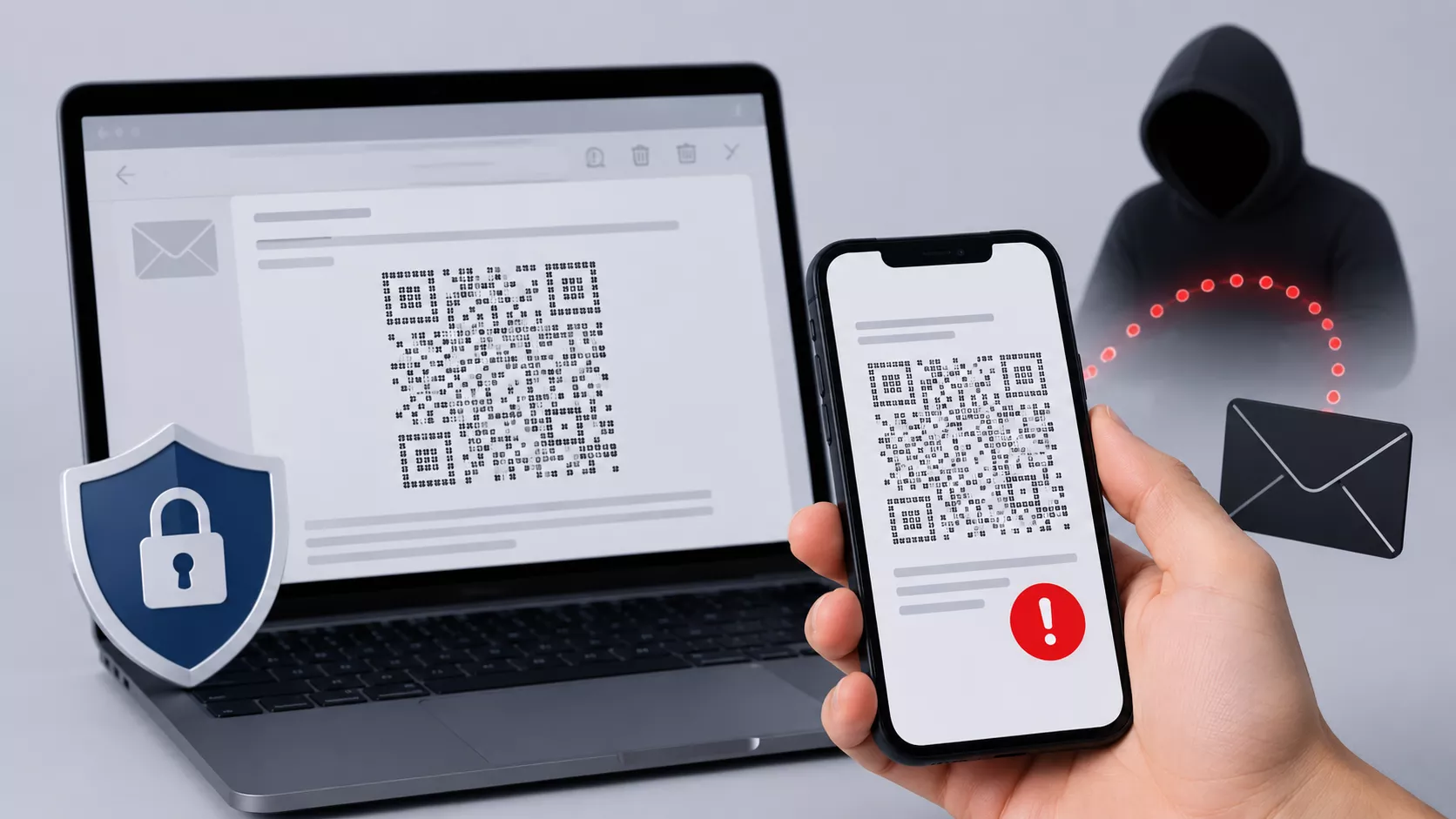
Security teams spent two years teaching mail gateways to catch QR codes hidden in phishing emails. Attackers just stopped putting the QR code in an image.
Researchers at Kaspersky documented the shift in mid-2026, and the red-team tool PhishU Framework has now rebuilt the technique for authorized phishing assessments, a process that turned out to be a bigger engineering problem than the evasion itself.
QR code phishing, or quishing, rose sharply through late 2025, with Kaspersky logging a more than fivefold jump in detections between August and November of that year.
The appeal to attackers is straightforward: a QR code shown on a desktop screen is scanned with a phone, routing the victim to a device that sits outside corporate browser controls and endpoint monitoring.
Imageless QR Phishing
Defenses caught up on two fronts. Secure email gateways began extracting embedded images and attachments, decoding any QR code found, and checking the destination URL against reputation and redirect data.
Separately, most email clients now block remote images by default, so a QR code delivered as a hotlinked image may never render until a user clicks “show images.” Together, those controls closed off a lot of easy quishing.
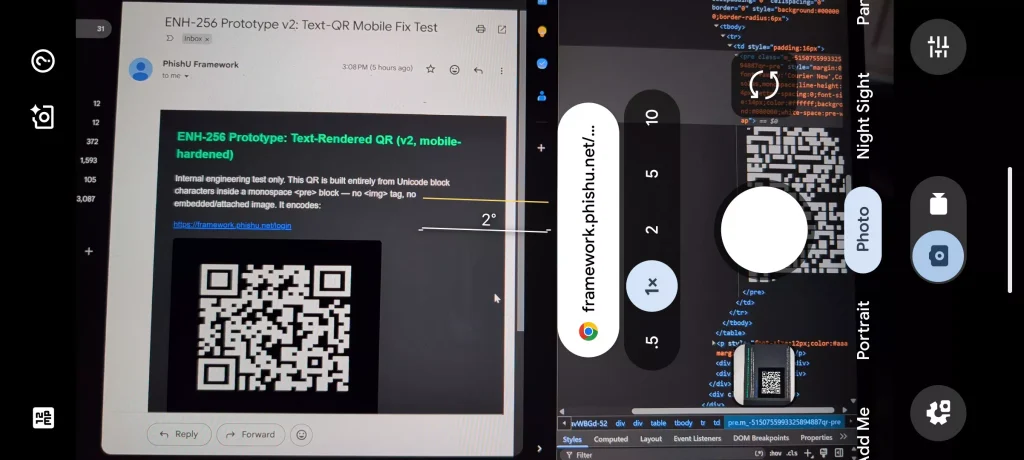
The countermeasure attackers landed on removes the image entirely. Instead of embedding a QR code as an image, the code is built directly into the email’s HTML, either as text characters arranged in pseudographic ASCII/Unicode art or as an HTML table with hundreds of individually colored cells standing in for the code’s black-and-white modules.
Kaspersky’s write-up and independent reporting describe the same underlying gap: there is no <img> tag, no attachment, and no bitmap object anywhere in the message, so an image-extraction-and-decode pipeline has nothing to grab.
The email client paints the grid from layout instructions instead, and it renders even when remote images are switched off, because it was never a remote image to begin with. A phone camera scans it exactly like any other QR code.
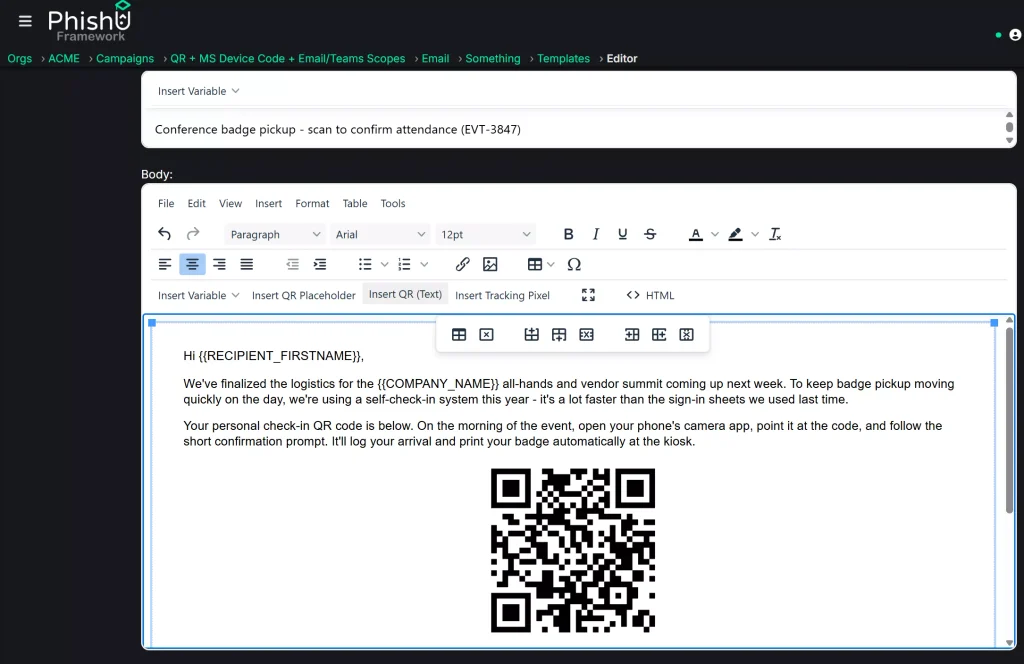
PhishU Framework already offered image-based quishing through its template editor. The new addition is a second option, “Insert QR (Text),” which, at send time, constructs the code as an HTML table of colored cells rather than an image while still generating a unique, tracked link per recipient for campaign metrics.
The choice of table cells over Unicode glyphs was deliberate: it reaches the same no-image-object property but proved far more reliable across mail clients.
Font-drawn glyph codes distorted on Gmail’s mobile app, an early table-based version tripped Gmail’s roughly 102KB message-clipping threshold, and Outlook’s dark mode silently repainted white cells grey until an explicit override was added.
The practical fix isn’t to block images more harshly; it’s recognizing that “no image” doesn’t mean “no QR.” Gateways that render a message’s full visual output and scan that rendering catch a markup-built code the same way they’d catch a picture. Gateways that only extract and decode literal image objects have a blind spot no image-blocking setting closes.
Security teams should look for structural signals instead of dense grids of tiny alternating table cells, repeated fixed pixel dimensions, or blocks of monospace pseudographic characters and correlate them with sender reputation and QR-themed lures like “scan to sign” or “scan to review.”
User training matters just as much: any QR code in a business email requesting credentials warrants suspicion, regardless of how it was generated, and the destination should be verified before entering anything.
Site: Thecyberdef.com
Follow TheCyberDef on Google News, LinkedIn & X for the latest cybersecurity updates. Stay informed.
About the Author